Home Resources Blender Game Skills
Blender Game Skills alternatives
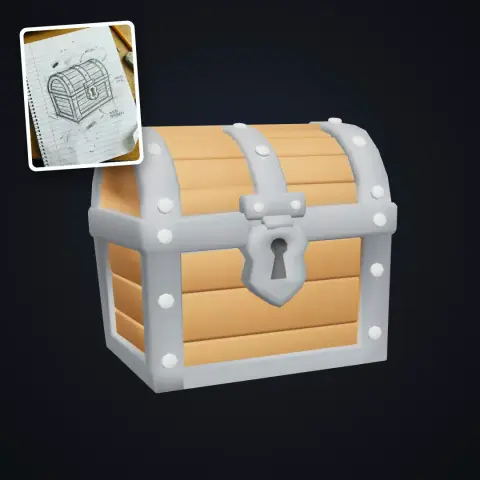
6 other agent skills to consider instead of Blender Game Skills, and how each differs. Blender Game Skills itself: developers who use Claude Code and want concept art or model sheets turned into measured, game-ready 3D models in Blender.
77 game-dev skills for coding agents, with an engine router.
- Best for: Developers using an AI coding agent who want engine-specific guidance loaded automatically for the engine their project uses
- Pricing: Free and open source (Apache-2.0); you use it with your own coding agent
- Export: Skills are plain Markdown folders copied into your agent's skills directory; the code they help write is yours
- Watch out for: Each skill is pinned to a stated engine version (for example Godot 4.7, Unity 6.3 LTS, Unreal Engine 5.8), so guidance can fall out of date for projects on other versions
Blender workflow skills for AI coding agents.
- Best for: Developers who use Claude Code, Codex or Cursor with Blender and want agents to follow game-ready modeling, baking, rigging and export steps
- Pricing: Free and open source (MIT); you need Blender 5.2 or later and your own AI coding agent
- Export: Its export skill covers Roblox, Unity, Unreal, Godot, web and USD targets, per the README; the work stays in your own Blender files
- Watch out for: It targets Blender 5.2 or later only, and the project is new: the first version is dated October 14, 2026, in its changelog.
Claude Code template with 49 agents run like a game studio.
- Best for: Solo developers using Claude Code who want design docs, reviews and QA steps built into their game project
- Pricing: Free and open source (MIT); you need your own Claude Code access
- Export: It is a template you clone into your own game repo, so everything it writes (code, docs, assets) stays in your project
- Watch out for: Built for Claude Code only, and by default it is deliberately not autonomous: agents ask questions and wait for your approval before writing files, according to the README (its guided and autonomous automation settings reduce those prompts)
LittleJS engine kit and plugin for building games with AI.
- Best for: People using Claude Code, Codex, Cursor or Copilot to make small HTML5 browser games without building an engine first
- Pricing: Free and open source (MIT); you use it with your own coding agent
- Export: Games are plain HTML and JavaScript that run from file://; an optional build script makes a single index.html and a .zip
- Watch out for: Tied to the LittleJS engine and HTML5 output, so it does not help with Unity, Godot or Unreal projects
A coding agent builds, runs and checks a game unattended.
- Best for: Developers who want a coding agent to build and check a complete Godot, Bevy or browser game from a written description
- Pricing: Free and open source (MIT); you pay for your own Claude Code or Codex use and any optional paid asset APIs
- Export: The result is an ordinary game repository and engine project on your own machine, which you keep and can keep developing
- Watch out for: Free local asset generation needs an NVIDIA GPU plus a long list of system tools, and the README says it is tested only on Ubuntu, Debian and macOS
Turn one character image into 2D sprite sheets and loops.
- Best for: 2D developers who use Codex or Claude Code and want consistent, transparent sprite sheets from a single character image
- Pricing: Free and open source (Apache-2.0); image and video generation run on your own ChatGPT, SuperGrok or API account
- Export: Outputs are local PNG atlases with a manifest.json frame layout, plus Aseprite JSON export for Phaser and Flame, according to the README
- Watch out for: It doesn't include an image model: generation needs your own Codex (ChatGPT) login, Grok login or an API key, and API-key calls are billed per call
Compiled by AIGamer from each tool's own pages; see each tool's page for sources. We haven't tested every tool hands-on.