Guide
How to make Roblox games with Claude Code (2026)
Connect Claude Code to Roblox Studio with Script Sync and the built-in MCP server, give it your rules and one skill pack, then build and playtest one feature at a time.
Key points
- Connect Claude Code to Studio twice: Script Sync for your Luau files and Studio's built-in MCP server for building and playtesting.
- Write your game's rules in CLAUDE.md, add one Roblox skill pack, and build one small feature at a time with a playtest after each.
- Commit with Git before every session; Studio's MCP tools save but never publish, so releasing the game stays with you.
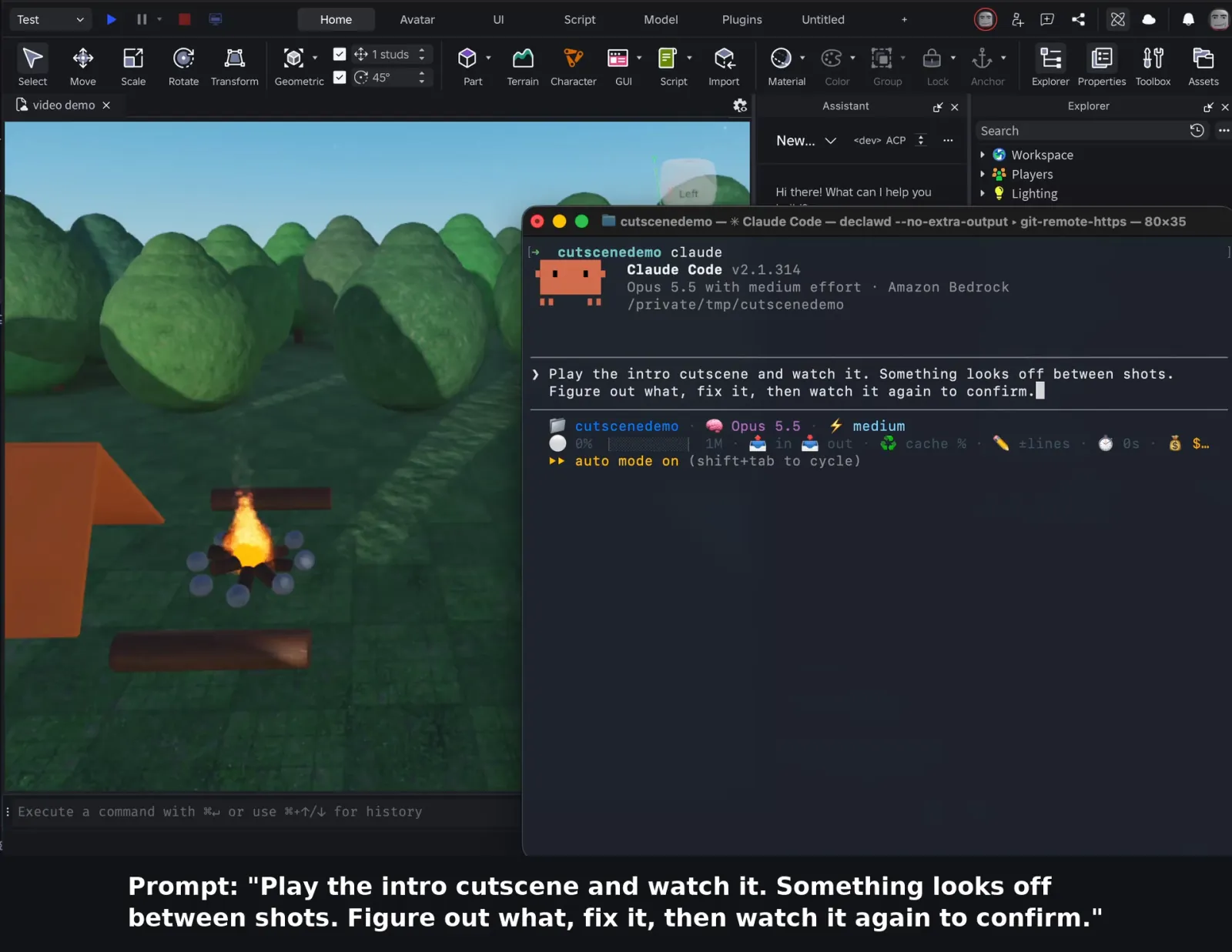
To make a Roblox game with Claude Code, connect Anthropic's coding agent to Roblox Studio in two ways. Script Sync puts your Luau scripts in a folder on your computer that Claude Code can edit, and Studio's built-in MCP server lets Claude see the place, run code and playtest. Then build the game in small pieces and check each one in Studio before moving on.
Roblox now publishes its own guide to this setup, "Build with a coding harness", last updated on November 24, 2026. This guide follows its steps and adds what to install, which skills and model to use, and how to keep the agent from breaking your game. Everything here was checked on November 27, 2026. AIGamer hasn't built a full game this way.
What you need
- Roblox Studio, free for Windows and Mac, signed in with your Roblox account. Install the latest version: Roblox updates Studio often, and the AI features below need it.
- A paid Claude plan. Anthropic's setup docs say Claude Code needs a Pro, Max, Ultra, Team, Enterprise or Console account, and the free Claude plan doesn't include it. Pro costs $20 a month (checked on Anthropic's pricing page on November 22).
- An editor, if you want one. Roblox's guide uses VS Code with the Claude Code extension, or Cursor. Claude Code also runs on its own in a terminal.
- Git, so you can undo anything the agent does. Roblox's guide gives
brew install gitfor Mac andwinget install --id Git.Git -e --source wingetfor Windows.
To install Claude Code, Anthropic's docs give these commands:
# macOS
curl -fsSL https://claude.ai/install.sh | bash

# Windows (PowerShell)
irm https://claude.ai/install.ps1 | iex
Then run claude in a terminal to sign in, and claude --version to check it installed.
Step 1: Put your scripts where Claude Code can edit them
Script Sync mirrors scripts in Studio to files on disk and back, so Claude Code edits ordinary .luau files and Studio picks up the changes.
- Make a project folder and save your place into it (File > Save to File). Roblox's starter project adds the
.rbxlxplace file to.gitignore, so Git tracks only your scripts. - Roblox's coding-harness guide says to turn on the Script Sync beta first (File > Beta Features, then restart Studio). If you can't find it, update Studio.
- In the Explorer, right-click ServerScriptService, choose Script Sync and pick your project's top-level folder (not a folder inside it). Repeat for ReplicatedStorage and StarterPlayerScripts. The coding-harness guide calls the menu item "Sync to"; Roblox's Script Sync page calls it "Sync with Directory…".
File names tell Studio what each script is:
| File | Becomes |
|---|---|
name.server.luau | A server Script |
name.client.luau | A client Script |
name.luau | A ModuleScript |
| A folder | A Folder |
Script Sync only handles scripts and folders. Roblox's docs warn that scripts with attributes or tags are ignored, which can lose data, and that you should choose Stop Sync before deleting a synced folder on disk. If you want the whole place under version control, not just its scripts, Roblox's docs point to third-party tools such as Rojo instead.
Step 2: Connect Claude Code to Studio with MCP
MCP (Model Context Protocol) lets an agent call another program's tools. Studio's MCP server reaches the parts of a game that Script Sync can't, such as StarterGui and StarterPack, and lets Claude play the game.
- In Studio, click Assistant at the top right, then ⋯ > Manage MCP Servers.
- Turn on Enable Studio as MCP server.
- Open Quick connect and turn on Claude Code. If it isn't listed, install Claude Code and restart Studio.
To add it by hand on a Mac instead, run:
claude mcp add Roblox_Studio -- /Applications/RobloxStudio.app/Contents/MacOS/StudioMCP
On Windows, Roblox's docs give the command cmd.exe with the arguments /c %LOCALAPPDATA%\Roblox\mcp.bat. Run claude mcp list to check the server shows as connected. If it doesn't, our guide to Roblox Studio's MCP server has the fixes.
Studio's MCP docs list 30 tools. The ones Claude uses most when building a game:
| Tool | What it does |
|---|---|
script_read, multi_edit, script_grep | Read, edit and search scripts |
search_game_tree, inspect_instance | Explore the place and its objects |
execute_luau | Run Luau in Edit mode, or on the client or server during a playtest |
start_stop_play, get_console_output | Start and stop playtests and read the output |
screen_capture | Take a screenshot, or record video during a playtest |
character_navigation, user_keyboard_input, user_mouse_input | Move the test character and press keys like a player |
generate_mesh, generate_material, generate_animation, insert_asset | Make or insert art |
save_place | Save, with a note for version history; it never publishes |
Step 3: Check that both connections work
Roblox's guide ends setup with a short test, worth doing before you build anything:
- Ask Claude to list what's in the Workspace. A new Baseplate place should show Camera, Terrain, Baseplate and SpawnLocation. Claude Code may ask you to approve the tool first.
- Ask it to create
ServerScriptService/Test.server.luauthat prints a message, and check that Test appears in Studio's Explorer. - Ask it to start a playtest, read the output for the message, stop the test and delete the script.
- Commit:
git add .thengit commit -m "Script Sync and MCP working".
Step 4: Give Claude Code your project's rules
Claude Code reads a CLAUDE.md file in your project folder at the start of every session, according to Anthropic's docs. Use it for what the agent should always know about this game:
- One paragraph on the game and what you're building next.
- Which folders are synced and the file naming rules above.
- Your rules, such as "keep game logic on the server", "playtest after every change" and "never publish".
Roblox's starter project does the same job with a design document, WAVE_SURVIVAL.md, that you point the agent to.
For Roblox know-how, add one skill pack (a set of instructions the agent loads when a task needs them):
- Roblox Skills (MIT) has 40 Claude Code skills, from first idea and Luau structure to DataStore saving, security, monetization and live updates. Its setup skill writes a map of the skills into your
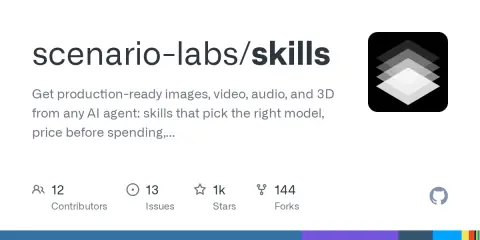
CLAUDE.md. - Scenario's Roblox Studio skills are a lead skill and 13 specialists that drive Studio through the MCP server. Their README says every procedure was run live in Studio.
- Studio's MCP server also has a
skilltool that returns Roblox's own reference material.
Install one pack rather than several, so the agent doesn't get competing instructions. Our guide to engine skill packs explains where skills go and how to install them.
Step 5: Build in small, playtested pieces
Coding agents do best with one small, checkable job at a time. A loop that works with these tools:
- Ask for a plan first. Describe the next feature (a round timer, a wave spawner, a shop button) and ask Claude to say what it will change before it edits anything.
- Let it build that one piece. Scripts change through Script Sync; UI and objects change through MCP.
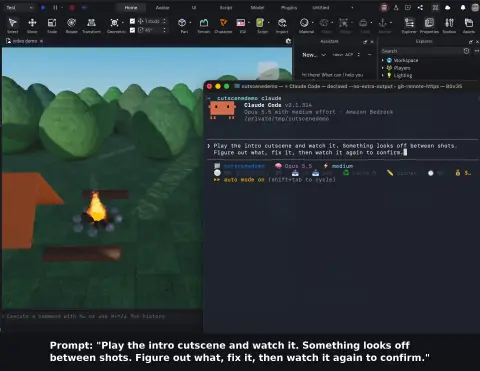
- Make it playtest. Ask Claude to start a playtest, move the character or press keys, read the console and take a screenshot. For movement, animation or timing, ask it to record a short video with
screen_capture; Roblox keeps screenshots as the default because they cost much less. - Check it yourself, then have Claude save with
save_placeand a short note, and commit with Git.
Repeat for each feature. If a change goes wrong, git checkout puts the scripts back.
Which Claude model is best for Roblox?
Roblox's OpenGameEval leaderboard on GitHub tests models on 87 tasks inside Studio. Claude Fable 5 leads with 51.09% of tasks solved on the first attempt, ahead of Gemini 3.5 Flash (49.03%) and Claude Opus 4.6 (48.05%), according to the leaderboard on November 27. Fable 5 also leads its separate set of 30 debugging tasks, at 66.09%.
So Claude is among the strongest models at Roblox work, but even the best fails about half the tasks on the first try. Plan for that: small pieces, playtests, and a human check before anything ships. In Claude Code you can switch models with /model. More on the benchmark in our OpenGameEval story.
Keep the agent from breaking your game
- Commit before every session. Git is the undo button for anything the agent does to your scripts.
- Connect only agents you trust. Roblox's MCP docs warn that connected clients can read and change your open places.
- Publishing stays with you.
save_placenever publishes, and Studio's own MCP tools can't publish yet. The separateopen_cloud_invoketool can publish place versions if you give it high-risk Open Cloud permissions, so leave those off unless a task needs them. - Watch which window it edits. With several Studio windows open, ask Claude to run
list_roblox_studiosand choose the right one. - Keep approvals on until you trust the setup, so Claude Code asks before running tools that change your place.
Other ways to use Claude with Roblox
- Inside Assistant. Roblox Studio Assistant can use Claude through your own Anthropic API key (Assistant > … > Manage API Keys), with no setup outside Studio. Anthropic bills you for the API use.
- Baseplate. Baseplate is a desktop app that runs your own Claude Code, Codex or Cursor against your game files and Studio, with playtests and a change review. It was free for one agent at a time, with Pro at $4.99 a month, when we checked on November 23.
- Other agents. The same Script Sync and MCP setup works with Codex, Cursor and Gemini CLI.
FAQ
Can Claude Code make a Roblox game?
Yes, with Script Sync and Studio's MCP server connected, Claude Code can write Luau scripts, build UI and objects, generate meshes and animations, and playtest the game. Roblox publishes a step-by-step guide to this setup. Expect to build feature by feature and check its work, not to get a finished game from one prompt.
Is Claude good for Roblox coding?
It's one of the strongest models on Roblox's own benchmark. Claude Fable 5 tops the OpenGameEval leaderboard with 51.09% of 87 Studio tasks solved on the first try. That still means about half fail first time, so test every change.
What are the best Claude skills for Roblox Studio?
The two main packs are Roblox Skills (40 skills, from planning to live updates) and Scenario's Roblox Studio skills (a lead skill and 13 specialists tested live in Studio). Studio's MCP server also has a built-in skill tool with Roblox's own reference material. Pick one pack.
Do I need Rojo?
No. Script Sync, built into Studio, is the route Roblox's coding-harness guide uses. Rojo is a third-party tool for keeping a whole project in files and under version control, which Roblox's docs suggest for larger projects.
Does it work on Windows?
Yes. Claude Code installs on Windows with PowerShell or WinGet, and Studio's MCP server runs from %LOCALAPPDATA%\Roblox\mcp.bat. Anthropic recommends Git for Windows.
Can Claude publish my Roblox game?
Not through Studio's own MCP tools: save_place saves a version but never publishes. Only the Open Cloud tool can publish, and only if you grant it high-risk permissions.
Sources
Compiled by AIGamer from the sources below, which we last checked on 27 November 2026. Prices and features change; check the tool's own site before you buy.
- Roblox Creator Docs: Build with a coding harness
- Roblox Creator Docs: Connect to the Roblox Studio MCP server
- Roblox Creator Docs: Script Sync
- Roblox Creator Docs: Third-party tools
- Roblox Creator Docs: Use Open Cloud with the Studio MCP server
- Roblox Creator Docs: Assistant guide
- Roblox Studio Team (xwail4) on the DevForum: Studio MCP Server Updates: Video Capture, save_place, and submit_feedback (November 20, 2026)
- Roblox (GitHub): OpenGameEval leaderboard
- Anthropic: Set up Claude Code (Claude Code documentation)
- Anthropic: How Claude remembers your project: CLAUDE.md (Claude Code documentation)
- Anthropic: Connect Claude Code to tools via MCP (Claude Code documentation)
- Anthropic: Claude pricing
- AshExplained (GitHub): roblox-skills README
- Scenario (GitHub): Roblox Studio expert skills README
- rojo-rbx (GitHub): Rojo README
- Baseplate: Baseplate: features and pricing
- AIGamer: How to use Roblox Studio's MCP server and AI Assistant (2026)
- AIGamer: How to teach coding agents Roblox Studio, Unreal and game servers with skill packs
- AIGamer: Roblox OpenGameEval story
Image: Roblox
Written in our own words; quotes are marked and credited. How we report