Guide
How to use AI in Blender: MCP servers, Claude and AI add-ons (2026)
Blender has no built-in AI, but MCP servers let Claude, Codex and Cursor build and edit scenes in it. The community and official options compared, how to set one up, and how to stay safe.
Key points
- For Claude Desktop, add the Blender connector under Customize > Connectors and install Blender Lab's free add-on; it works on any Claude plan, including Free.
- For Claude Code, Codex or Cursor, MCP for Blender (free, MIT) sets up in one command and adds asset libraries and 3D generation.
- Both let the AI run Python in Blender with full access, so save your work first and turn on MCP for Blender's safe mode or use a spare machine.
Blender has no built-in AI, and the Blender Foundation says it isn't planning any: in a May 1, 2026 post, chairman Francesco Siddi wrote that "No generative AI functionality is currently available or planned to be integrated in Blender." What you can do is connect an outside AI assistant, such as Claude, Codex or Cursor, through an MCP server. MCP (Model Context Protocol) is a standard that lets an AI app call another program's functions; with a Blender MCP server, the assistant can read your scene, write and run Blender Python to build or change it, and take screenshots to check the result.
Two servers cover most people:
- Blender Lab's MCP server, made by the Blender project's own Lab and used by Claude's official Blender connector.
- MCP for Blender, a community project (until September called blender-mcp) and by far the most popular, with extras like asset libraries and AI 3D generation.
This guide compares them and the alternatives, shows how to set each up, covers skill packs and AI add-ons for game assets, and explains the safety risks. Everything is as of November 7, 2026; the current Blender release is 5.2.3 LTS (October 22, 2026).
Blender MCP servers compared
| Server | Price and license | Works with | What stands out | GitHub stars (Nov 7) |
|---|---|---|---|---|
| MCP for Blender (Siddharth Ahuja) | Free, MIT; optional paid plans for 3D generation from $10 a month | Claude Desktop, Claude Code, Codex, Cursor, VS Code and more; Blender 3.0+ | One-line installer; searches and imports Poly Haven, Sketchfab and Poly Pizza assets; generates 3D models with Tripo, Hunyuan3D, Hyper3D Rodin or Meshy | 33,494 |
| Blender Lab MCP (Blender project) | Free, GPL-3.0 | Claude's Blender connector and other MCP clients; Blender 5.1+ | 26 tools focused on searching Blender's Python API and manual, scene and file summaries, screenshots and renders | 37 (on Blender's own Git server) |
| blenderwright | Free, MIT | Claude, Cursor, Codex, local models and other MCP clients; Blender 5.2 LTS only | 276 dedicated tools; running raw Python is opt-in per session; says it collects no telemetry | 191 |
| Blender Open MCP | Free, MIT | Local models through Ollama, LM Studio or llama.cpp, or any OpenAI-compatible API | For running a local model instead of a cloud assistant | 122 |
| Blender Agent Studio | Free, MIT | A Claude Code or Codex plugin; tested on Blender 5.2 LTS | Returns a .blend file, the Python script and checked renders | 106 |
A few notes:
- MCP for Blender is the project most search results mean by "Blender MCP." Its maintainer renamed it on September 16, 2026; the repository is now
ahujasid/mcp-for-blenderand the Python packagemcp-for-blender, though the oldblender-mcpname still works. Its README says it's "a third-party integration and not made by Blender." - Blender Lab's server comes from Blender Lab, which the Blender project says runs activities that aren't initially part of Blender's roadmap. It has no asset libraries or 3D generation; it's aimed at helping an assistant use Blender's own API correctly and understand a scene or .blend file.
- Scenario for Blender (GPL-3.0, experimental) also runs a local MCP server, alongside generating images, 3D models and PBR textures with Scenario's paid credits.
- Some older Blender MCP projects haven't been updated since 2025, and one, blender-ai-mcp, marks itself discontinued. Check a repo's last update before you depend on it.
How to connect Claude to Blender (official connector)
Anthropic announced the Blender connector on April 28, 2026, saying "The Blender developers have created an MCP connector, which is now officially available for Claude." According to Anthropic's tutorial, it works on any Claude plan, including Free, but only in the Claude Desktop app, not claude.ai in a browser.
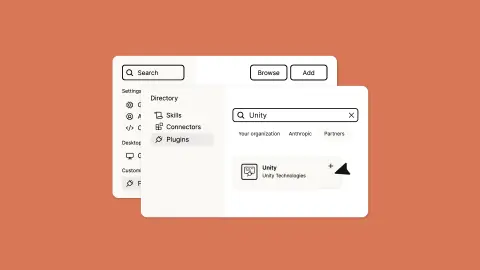
- In Claude Desktop, go to Customize > Connectors, search for "Blender" and add it.
- Install Blender Lab's add-on: from blender.org/lab/mcp-server, drag the install link into Blender, allow the "lab" extension repository when asked, then drag it in again to install the add-on. Blender's page lists Blender 5.1 or newer (Anthropic's tutorial says 4.2).
- In Blender, go to Edit > Preferences > Add-ons, find BlenderMCP and click Start MCP server. You need to do this each time you open Blender.
Anthropic says the connector is also available to other AI assistants, not just Claude.
How to set up MCP for Blender (Claude Code, Codex, Cursor)
MCP for Blender's README gives a one-line installer that installs uv (a Python tool runner) if needed, finds your AI apps, adds a blender entry to each one's settings (saving a backup), and installs and enables the Blender add-on:
- macOS or Linux:
curl -LsSf https://www.mcp-for-blender.com/install.sh | sh - Windows (PowerShell):
irm https://www.mcp-for-blender.com/install.ps1 | iex - If you already have uv:
uvx mcp-for-blender setup
It detects Claude Desktop, Claude Code, Codex, Cursor, VS Code, Windsurf, OpenCode and Antigravity. To set it up by hand instead:
- Claude Code:
claude mcp add blender uvx mcp-for-blender - Codex:
codex mcp add blender -- uvx mcp-for-blender(the README also offers a Codex plugin that shows a live viewport in the chat) - Blender add-on: run
uvx mcp-for-blender install-addon, or installaddon.pyunder Edit > Preferences > Add-ons and enable "Interface: MCP for Blender."
Then fully quit and reopen your AI app. The README says the add-on starts its server when Blender opens; if it isn't running, press N in the 3D viewport to open the sidebar, choose the MCP for Blender tab and click Start MCP Server. The README warns against running two MCP clients against Blender at once (for example Cursor and Claude Desktop), and says a "spawn uvx ENOENT" error in a desktop app is fixed by using the full path to uvx.
What it can do: the README says the assistant writes Blender Python itself, and the server adds nine tools for what Python can't do on its own: running code, looking at the scene (viewport, camera, multiple angles, animation frames, renders), getting scene information, generating 3D models, searching and importing assets, and checking add-on status, and two telemetry controls.
What it costs: the add-on is free. You can bring your own Tripo, Meshy, Hunyuan3D or Hyper3D Rodin API key for 3D generation (the README says a Meshy key needs a paid Meshy plan), or buy a plan from MCP for Blender: Hobby $10 a month for 25 standard generations, Pro $20 a month adding 8 high-quality ones, up to Max at $100 a month.
Telemetry: the README says it collects "a minimal anonymous usage record" by default (tool names, success, timings, versions), and collects your prompts, code and screenshots only if you opt in. It says telemetry data may be used to improve the project, for research and to train AI models. Set DISABLE_TELEMETRY=true to turn it off.
Using a coding agent without MCP
A coding agent such as Claude Code or Codex can also work with Blender by writing a Python script and running Blender in the background, with no MCP server and no open window. Blender's manual documents the command-line options:
blender --background scene.blend --python-exit-code 1 --python build.pyruns a script against a file without the interface (-band-Pare the short forms).--python-exit-code 1makes Blender exit with an error code if the script fails, so the agent knows something broke. It only applies to scripts after it, so put it before--python.--factory-startupskips your startup file, which makes runs repeatable.- Options run in the order you write them, so put the .blend file before the script.
A script can save its work with bpy.ops.export_scene.gltf or bpy.ops.export_scene.fbx for a game engine. Godot's docs recommend glTF 2.0, Unity's recommend FBX, and Roblox's official Blender plugin uploads assets straight to Roblox.
Skill packs teach an agent Blender workflows:
- Blender Agent Skills (MIT): 28 skills for Blender 5.2 LTS covering what its README calls the full 3D pipeline, from modeling and UVs to rigging, LODs, rendering and export, for Claude Code, Codex, Cursor, Gemini CLI and others.
- Blender Game Skills (MIT): one skill that takes reference images through staged phases to a rigged GLB or FBX; tested only with Claude Code.
- Blender Skills by arjun988 (MIT): a larger pack of 94 skills for Cursor, Claude Code, Kiro and Codex.
AI add-ons for game assets in Blender
These don't use MCP; they bring an AI service into Blender's interface:
- Meshy for Blender receives models you generate in Meshy's web app; its docs say sending models needs a Pro plan or higher. Blender 4.2 or newer.
- Tripo for Blender turns an image into a mesh inside Blender with a Tripo API key, from the sidebar's Tripo 3D tab. Blender 3.0 or newer.
- Scenario for Blender generates images, video, 3D models and PBR textures using Scenario credits; it's labeled experimental and needs Blender 5.0 or later.
Two older add-ons still rank in searches: Dream Textures, which runs Stable Diffusion in Blender, hasn't had a new release since August 2024, and BlenderGPT, a GPT-4 and GPT-3.5 chat add-on, was last updated in June 2023.
Safety: what to know before you connect an AI
Every Blender MCP server here can run AI-written Python inside Blender, and that Python can do anything your user account can, including deleting files or sending data over the network.
- MCP for Blender's README says the code tool "allows running arbitrary Python code in Blender, which can be powerful but potentially dangerous," and to "ALWAYS save your work before using it." It also notes that the add-on's local server has no authentication, so anyone who can reach that port can run Python in Blender. Its safe mode (
BLENDER_MCP_SAFE_MODE=1) blocks direct file reads and writes, subprocesses, network access and persistent code. - Blender Lab's page warns that its server "will execute LLM generated code in Blender without any guards in place to protect your data from removal or being sent to a remote location," and recommends a virtual machine or a computer without sensitive data.
- Four security flaws in MCP for Blender were published as CVEs in June and July 2026: code injection in the code tool, an arbitrary file read through an image-URL input, a server-side request forgery through a download URL, and a path traversal in Poly Haven downloads. A fix for the path traversal was merged in July; the GitHub issues for the other three were closed by the person who reported them, without a linked fix. Keep it updated and use safe mode.
The practical rules: commit or save before every session, don't expose Blender's MCP port beyond your own machine, keep sensitive files off the computer you use for this, and review what the agent changed. MCP for Blender's README also notes that complex operations may need to be broken into smaller steps.
How we chose
AIGamer compiled this guide from Blender's own news posts, manual and Lab pages, Anthropic's announcement and tutorial, each project's README and website, the CVE records, and engine documentation, all opened on November 7, 2026. Star counts come from GitHub that day. We included servers with recent updates and clear setup steps, and named outdated ones as such. AIGamer hasn't tested these tools. For the bigger picture of AI 3D models for games, see our guide to turning an AI picture into a rigged 3D game asset and the Meshy vs Tripo comparison.
FAQ
What is Blender MCP?
It's a server that lets an AI assistant control Blender through the Model Context Protocol: read the scene, run Python to build or edit it, and take screenshots. Most people mean MCP for Blender, a free, MIT-licensed community project that was called blender-mcp until September 2026. Blender's own Lab also publishes an official MCP server.
Is Blender MCP free?
Yes. MCP for Blender is free and open source, with optional paid plans from $10 a month if you want its built-in 3D generation without your own API keys. Blender Lab's MCP server is free under GPL-3.0.
How do I connect Claude to Blender?
In Claude Desktop, add the Blender connector under Customize > Connectors, install Blender Lab's add-on from blender.org/lab/mcp-server, and start the server from Edit > Preferences > Add-ons > BlenderMCP. It works on any Claude plan, including Free. For Claude Code, run claude mcp add blender uvx mcp-for-blender to use MCP for Blender instead.
Does Blender have built-in AI?
No. The Blender Foundation said in May 2026 that no generative AI functionality is available or planned for Blender, and Blender Lab's page says Blender has no built-in way to connect to language models. AI comes from add-ons and MCP servers made outside the core program.
Can ChatGPT control Blender?
Through OpenAI's Codex, yes: MCP for Blender supports Codex with a setup command and a plugin. We didn't find an official OpenAI connector for Blender.
Is Blender MCP safe?
It's as safe as letting someone else run code on your computer. Both main servers run AI-written Python with full access, and four security flaws in MCP for Blender were published in 2026, only one of which has a confirmed fix. Save your work first, use MCP for Blender's safe mode, keep it updated, and consider a separate machine or virtual machine, as Blender Lab recommends.
Can I use a local model with Blender?
Yes. Blender Lab's MCP page uses llama.cpp as its example, and Blender Open MCP supports Ollama, LM Studio and llama.cpp.
Sources
Compiled by AIGamer from the sources below, which we last checked on 7 November 2026. Prices and features change; check the tool's own site before you buy.
- Blender Foundation: Upcoming Blender Development Fund and AI policies (May 1, 2026)
- Francesco Siddi on Blender DevTalk: Guidelines for AI-enabled features (June 2, 2026)
- Blender: Download (Blender 5.2.3 LTS)
- Blender Lab: MCP server
- Blender Lab: blender_mcp repository
- Blender Lab: MCP server tool list
- Blender: Blender Lab
- Anthropic: Claude for creative work (April 28, 2026)
- Anthropic Academy: Using the Blender connector in Claude
- Siddharth Ahuja: MCP for Blender README
- Siddharth Ahuja: MCP for Blender rename notice (issue 366, September 16, 2026)
- MCP for Blender: Website
- MCP for Blender: Premium plans
- CVE Program: CVE-2026-10688
- CVE Program: CVE-2026-10661
- CVE Program: CVE-2026-10662
- CVE Program: CVE-2026-66004
- HoldMyBeer-gg: blenderwright README
- dhakalnirajan: Blender Open MCP README
- ifBars: Blender Agent Studio README
- Scenario: Scenario for Blender README
- Blender: Command-line arguments (Blender manual)
- Blender: bpy.ops.export_scene (API docs)
- EL4CTEO: Blender Agent Skills README
- majidmanzarpour: Blender Game Skills README
- arjun988: Blender Skills README
- Meshy: Meshy for Blender docs
- Tripo: Plugins docs
- carson-katri: Dream Textures README
- gd3kr: BlenderGPT README
- Godot Engine: Available 3D formats (Godot 4.7 docs)
- Unity: 3D formats (Unity manual)
- Roblox: roblox-blender-plugin README
Image: ahujasid/mcp-for-blender on GitHub
Written in our own words; quotes are marked and credited. How we report