ACE-Step 1.5 alternatives
15 other ai asset tools to consider instead of ACE-Step 1.5, and how each differs. ACE-Step 1.5 itself: developers who want to generate game music on their own GPU, with or without vocals.
Creature animation from one AI-generated video.
- Best for: Technically confident developers who need animations for non-human creatures such as dragons, spiders or quadrupeds
- Pricing: Free and open source (Apache-2.0); you pay for video generation on fal, about $0.26 per 5-second clip per the README (October 2026)
- Export: A GLB animation at 24 fps of the rigged creature, according to the README
- Watch out for: Training the per-creature joint reader needs an NVIDIA CUDA GPU with 24 GB, and the README says eight-legged walking and lying-down poses don't fit well.
Sprites, 3D and audio for games, plus a CLI for agents.
- Best for: 2D and indie developers who want animated sprite sheets and other assets generated straight into their project, including from coding agents
- Pricing: 30 free credits to start; paid plans from $15/month billed annually or $20/month billed monthly (as of October 2026)
- Export: Sprite sheets as PNG with JSON metadata, GIF, per-frame sequences or MP4; 3D models as GLTF/GLB; the free Asset Toolbox exports Godot SpriteFrames, Unity metadata and TexturePacker JSON
- Watch out for: API, MCP and CLI calls always use credits, and generating from the CLI needs a Pro or Studio plan, so the cheaper Indie plan doesn't cover agent-driven generation.
Facial animation and lip sync generated from speech audio.
- Best for: Teams with NVIDIA GPUs who want lip sync and facial animation for dialogue, baked in Maya or Unreal or generated at runtime
- Pricing: Not published; the SDK, plugins and training framework are free and open source, and the models are open weights (as of November 2026)
- Export: Maya ACE exports animation as native Maya keyframes or FBX; the Unreal plugin drives a character's face rig directly in the engine
- Watch out for: The SDK needs an NVIDIA GPU with CUDA 12 (12.8 or newer) and TensorRT 10.13 or newer, on Windows or Linux only; Maya ACE runs on Windows only
Low-poly 3D models with adjustable knobs, built for agents.
- Best for: Developers, and the coding agents they use, who want ready-made low-poly 3D props, buildings and characters without generating or modeling them
- Pricing: Every low-poly model free; Pro $15/month or $149/year for HD editions; hosting license from $299/month (as of November 2026)
- Export: Yes: models download as GLB, FBX, USDZ and ES modules and can ship inside your game; free mesh files are CC BY 4.0 or the Polyfork license, but under the Polyfork license the files themselves can't be resold or redistributed as assets
- Watch out for: The editable .mjs source and the HD editions are under Polyfork's own license only, so a product that stores and serves them to its own users needs a paid Platform license, according to the licensing page
AI game asset platform with custom style training.
- Best for: Studios that want consistent art styles across 2D, 3D and audio assets, using custom-trained models
- Pricing: Free tier (50 credits per the FAQ; a line under the plans says 50 free daily credits); paid plans from $15/month billed monthly, 33% less billed annually (as of November 2026)
- Export: Paid plans include a full commercial license to use, sell and ship generated assets; free-plan outputs are personal and evaluation use only. Meshes export as GLB, OBJ, FBX, STL or VOX, and Kimodo animations as BVH
- Watch out for: Free-plan outputs can't be used commercially, so shipping assets requires a paid plan.
Turn one character image into 2D sprite sheets and loops.
- Best for: 2D developers who use Codex or Claude Code and want consistent, transparent sprite sheets from a single character image
- Pricing: Free and open source (Apache-2.0); image and video generation run on your own ChatGPT, SuperGrok or API account
- Export: Outputs are local PNG atlases with a manifest.json frame layout, plus Aseprite JSON export for Phaser and Flame, according to the README
- Watch out for: It doesn't include an image model: generation needs your own Codex (ChatGPT) login, Grok login or an API key, and API-key calls are billed per call
Texture a gray level blockout with AI images.
- Best for: Developers with a gray-box level who want a consistent painted texture pass without hand-texturing
- Pricing: Free and open source (Apache-2.0); image generation on fal is paid, $4.44 for the README's 128-view village example (October 2026)
- Export: Download the textured .glb or the texture itself; the bake is exported as glTF
- Watch out for: Levels must already have UVs and be Y-up .glb files, and the image models only run on fal for now, with no local model support yet.
Automatic skeleton rigging and skinning for 3D models.
- Best for: Developers and technical artists who want to auto-rig generated or downloaded 3D characters and creatures before animating them
- Pricing: Free, open source (self-hosted)
- Export: Takes OBJ, FBX, GLB or VRM input and writes rigged FBX or GLB files you can use in other tools
- Watch out for: Needs a CUDA GPU with at least 8 GB of VRAM, and the released checkpoint is trained on Articulation-XL2.0, not the full Rig-XL/VRoid model behind the paper's main results
Headless 3D and VFX renderer that AI agents drive as code.
- Best for: Developers who want a coding agent to write, render and revise 3D shots, trailers or VFX as code on a recent NVIDIA GPU or Apple Silicon Mac
- Pricing: Free during the research preview, including commercial use (as of November 2026); optional Voyager cloud GPUs are billed by the second and need a paid Voyager workspace, from $19/month
- Export: Renders to image and video files (PNG stills, MP4 clips) and imports glTF models; the license says Voyager claims no rights in the scenes, code or media you make
- Watch out for: Research preview: fog and volumes are ignored, large scenes and dense transparency can fail (including on Mac), and its path tracer was slower than Blender's Cycles in the project's own tests
Local game music and sound effects for coding agents.
- Best for: Developers using Claude Code, Cursor or another MCP client who want placeholder or final game audio generated on their own machine
- Pricing: Free and open source (MIT); generation runs on your own hardware with no API key. The Stable Audio 3 weights are under the Stability AI Community License, which is free for commercial use below $1M in annual revenue after registering with Stability AI
- Export: Files are written to a local outputs folder as 44.1 kHz 24-bit stereo WAV, and process_audio can export WAV, OGG or FLAC (48 kHz) with loops, fades and loudness normalization, per the README
- Watch out for: It needs an Apple Silicon Mac (16 GB RAM recommended) or a Windows PC with an NVIDIA GPU with 8 GB or more of VRAM; Intel Macs and AMD GPUs aren't supported, Linux is untested with no installer, and Stable Audio 3 can't make vocals, per the README.
Blender workflow skills for AI coding agents.
- Best for: Developers who use Claude Code, Codex or Cursor with Blender and want agents to follow game-ready modeling, baking, rigging and export steps
- Pricing: Free and open source (MIT); you need Blender 5.2 or later and your own AI coding agent
- Export: Its export skill covers Roblox, Unity, Unreal, Godot, web and USD targets, per the README; the work stays in your own Blender files
- Watch out for: It targets Blender 5.2 or later only, and the project is new: the first version is dated October 14, 2026, in its changelog.
Claude Code skill for rigged 3D game assets in Blender.
- Best for: Developers who use Claude Code and want concept art or model sheets turned into measured, game-ready 3D models in Blender
- Pricing: Free and open source (MIT); needs Claude Code and Blender 4.2 or newer
- Export: Exports GLB, glTF or FBX with asset-manifest.json and animation-contract.json, then re-imports the file to check it, according to the README
- Watch out for: Only Claude Code has been tested, according to the README, and the agent writes and runs Blender Python build scripts phase by phase, stopping for your approval at each gate unless you tell it not to ask
Agent skills that build game VFX for Godot and Unity.
- Best for: Godot or Unity developers who want a coding agent to draft, build and review particle effects such as projectiles, impacts and beams
- Pricing: Free and open source (MIT) as of November 2026; video and image models you use with it are billed by their own providers
- Export: Effects are saved as Effekseer .efkefc sources and .efk runtime files with a manifest; the README says the effects, textures and flipbooks you make are yours
- Watch out for: Building and rendering effects is verified only on Apple silicon Macs and Windows x64, per the README; Linux is verified for authoring only, and the review step needs a windowed Godot (no headless Linux capture)
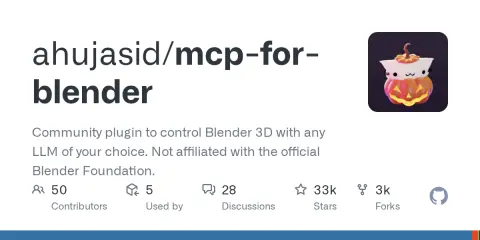
Lets AI assistants build and edit scenes in Blender.
- Best for: Artists and developers who want Claude, Codex, Cursor or another MCP client to build and edit Blender scenes from a prompt
- Pricing: Free and open source (MIT); optional Premium plans for built-in 3D generation from $10/month (as of November 2026)
- Export: Work stays in your local Blender file, so you export it with Blender's own tools
- Watch out for: Its execute_blender_code tool runs arbitrary Python inside Blender, and the README warns users to save their work before using it
Pixel art effects written as code, with a Claude Code skill.
- Best for: Pixel art game developers who want ready-made effects they can recolor, export or extend with Claude Code
- Pricing: Free and open source (MIT) as of November 2026; the skill runs in Claude Code, which needs the user's own Claude plan or API access
- Export: Effects run as dependency-free JavaScript in browser games, or render to transparent PNG sprite sheets with Aseprite-style JSON for engines such as Godot, Unity, GameMaker, Defold, LÖVE and Bevy; MIT license allows commercial use
- Watch out for: Glow is baked into exported sprite sheets as color with alpha, which reads well over dark scenes; for bright scenes the skill's own instructions say to render a recolored version or keep the effect on a dark layer
Compiled by AIGamer from each tool's own pages; see each tool's page for sources. We haven't tested every tool hands-on.