Patch alternatives
11 other mcp servers to consider instead of Patch, and how each differs. Patch itself: developers who already build games with Claude Code, Codex or Cursor and want a place to publish browser games and PC mods.
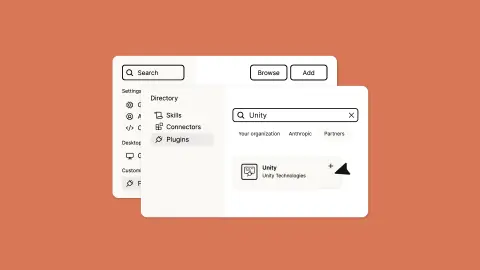
MCP plugins for AI agents in Unity, Unreal and Godot.
- Best for: Unity developers, and increasingly Unreal and Godot users, who want Claude Code, Cursor, Copilot or another agent to edit scenes, write code and run tests in the editor
- Pricing: Free plugins and local use with your own agent; hosted AI plans from $25/month, or $24/month billed annually (as of November 2026)
- Export: Everything the agent makes is saved in your own Unity project; the plugin installs as a normal Unity package
- Watch out for: The Unity README says the project's folder path cannot contain spaces, and your agent must support skills or dynamic MCP tool updates
Local game music and sound effects for coding agents.
- Best for: Developers using Claude Code, Cursor or another MCP client who want placeholder or final game audio generated on their own machine
- Pricing: Free and open source (MIT); generation runs on your own hardware with no API key. The Stable Audio 3 weights are under the Stability AI Community License, which is free for commercial use below $1M in annual revenue after registering with Stability AI
- Export: Files are written to a local outputs folder as 44.1 kHz 24-bit stereo WAV, and process_audio can export WAV, OGG or FLAC (48 kHz) with loops, fades and loudness normalization, per the README
- Watch out for: It needs an Apple Silicon Mac (16 GB RAM recommended) or a Windows PC with an NVIDIA GPU with 8 GB or more of VRAM; Intel Macs and AMD GPUs aren't supported, Linux is untested with no installer, and Stable Audio 3 can't make vocals, per the README.
MCP server that lets AI agents run and edit Godot games.
- Best for: Godot developers who want Claude Code, Cursor or Cline to run their project and read its errors
- Pricing: Free and open source (MIT); you pay only for the AI agent or model you connect
- Export: It works on your ordinary Godot project files, so there's nothing to export or lock in
- Watch out for: It drives Godot through its command line and a bundled GDScript file rather than a plugin inside the open editor, per its README, and the repository's last code push was on April 16, 2026.
Lets AI assistants build and edit scenes in Blender.
- Best for: Artists and developers who want Claude, Codex, Cursor or another MCP client to build and edit Blender scenes from a prompt
- Pricing: Free and open source (MIT); optional Premium plans for built-in 3D generation from $10/month (as of November 2026)
- Export: Work stays in your local Blender file, so you export it with Blender's own tools
- Watch out for: Its execute_blender_code tool runs arbitrary Python inside Blender, and the README warns users to save their work before using it
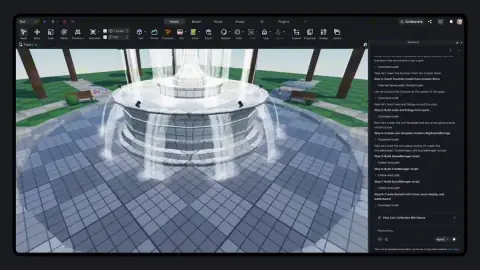
Lets AI agents edit scenes, scripts and assets in Unity.
- Best for: Unity developers who want Claude Code, Codex, Cursor or another MCP client to edit scenes, scripts and assets directly in the Editor
- Pricing: Free and open source (MIT)
- Export: Everything it changes stays in your own Unity project
- Watch out for: It needs Python 3.10 or newer (installed through uv) running next to the Editor, and its AI asset-generation tools only work with your own provider API keys
Make casual games by describing them, then publish.
- Best for: Non-coders who want to make small casual games and publish them to an existing audience of players
- Pricing: No published price list found on Astrocade's site as of October 2026
- Export: Not described: the pages we checked cover publishing on Astrocade, not exporting a game to run elsewhere
- Watch out for: Astrocade's pages don't describe exporting a game, so it works as a platform you publish to rather than a tool that hands you a portable build.
Desktop workspace for AI coding agents and Roblox Studio.
- Best for: Roblox developers who already pay for Claude Code, Codex or Cursor and want agent work, Studio playtests and change review in one app
- Pricing: Free plan; Pro $4.99/month, Studio $12.99/month, cheaper billed yearly (as of November 2026). AI usage is billed by your own provider
- Export: Nothing to export: code stays in your local project folder and Roblox place, and Baseplate's terms say you own what you make
- Watch out for: The app is closed source and pre-1.0, its macOS build isn't signed or notarized by Apple (you have to use Open Anyway), and direct Windows installers may trigger SmartScreen
Low-poly 3D models with adjustable knobs, built for agents.
- Best for: Developers, and the coding agents they use, who want ready-made low-poly 3D props, buildings and characters without generating or modeling them
- Pricing: Every low-poly model free; Pro $15/month or $149/year for HD editions; hosting license from $299/month (as of November 2026)
- Export: Yes: models download as GLB, FBX, USDZ and ES modules and can ship inside your game; free mesh files are CC BY 4.0 or the Polyfork license, but under the Polyfork license the files themselves can't be resold or redistributed as assets
- Watch out for: The editable .mjs source and the HD editions are under Polyfork's own license only, so a product that stores and serves them to its own users needs a paid Platform license, according to the licensing page
Roblox's built-in AI for scripting and building.
- Best for: Roblox creators, from first-timers to experienced developers, who want AI to plan, script and populate a game inside Studio
- Pricing: Roblox Studio is free; Roblox's Assistant docs don't state a price (as of October 2026). You can also add your own Anthropic, OpenAI or Google API key
- Export: No: games run on the Roblox platform. Generated meshes and scripts live in your Roblox place
- Watch out for: Your game lives on Roblox and nowhere else, and procedural model generation is capped at 50 models in a rolling 24-hour window.
Paid Unreal Engine plugin for AI agents in the editor.
- Best for: Unreal Engine 5 developers who want an AI agent to build Blueprints, C++ and levels inside the editor
- Pricing: One-time license $284.99 per seat (bring your own AI); Indie $25/month and Studio $80/month (shown as reduced from $100) with monthly AI tokens; annual billing $250 and $800 a year (as of October 2026)
- Export: What it builds is ordinary content in your Unreal project; its FAQ says almost nothing from the plugin ends up in the packaged game because its modules are editor-only
- Watch out for: The macOS build isn't notarized by Apple yet, so a copy downloaded through a browser needs a Terminal command before the editor will load it, per the getting-started docs.
Unity's in-editor AI assistant, generators and MCP.
- Best for: Unity 6 developers who want AI help inside the Editor, or who want to drive Unity from Claude Code, Codex, Cursor or another agent
- Pricing: In-editor assistant included in Pro, Enterprise and Industry; Personal users get a 14-day trial, then $10/month. The official plugin, Unity CLI and its MCP server are free (as of October 2026)
- Export: Yes: everything the tools make is ordinary Unity project content, which Unity builds for 25+ platforms
- Watch out for: Assistant credits don't roll over and AI features pause at zero; Unity says credit rates can change without notice, and the tools are still in beta.
Compiled by AIGamer from each tool's own pages; see each tool's page for sources. We haven't tested every tool hands-on.